
Last Updated: 1/29/26
Applies to:
- CI People Directory - Enterprise Clients
- CI People Directory - Marketing Subscribers
- CI People Directory - Research Subscribers
Issue/Functionality Sought:
- What Roles are in the CI People Directory?
- What differentiates a Lawyer, Expert, Judge, and Neutral within CI?
- Why do certain fields or experience types appear the way they do on a CI profile?
- How do I determine the correct CI Role for each professional when linking matters?
Solution Overview:
This article defines the four standard Roles used throughout the platform:
- Lawyer
- Expert
- Judge
- Neutral
By the end of this article, you’ll understand what each role means, why the definition matters, and how CI uses Roles to organize data and support search, filtering, analytics, and matter-linking workflows.
Tactical Rundown:
Understanding the CI Role Types
Lawyer
- Represents lawyers involved in litigation, mediation, arbitration, or transactions.
- Data unique to lawyers includes bar admissions, court qualifications and admissions, law school, practice area, industry, country expertise, and language.
Expert
- Represents individuals providing subject matter expertise or testimony.
- Data unique to experts includes expert discipline and testimony records.
Judge
- Represents judicial professionals such as federal judges, state judges, and Administrative Law Judges (ALJs).
- Covers both past and current courts and jurisdictions in which these judges have served.
Neutral
- Represents neutral professionals, including arbitrators and mediators, who facilitate resolution between disputing individuals or entities without advocating for either side.
- Covers expertise, services, Alternative Dispute Resolution (ADR) case history, panel affiliations, awards and decisions.
Why CI Roles Matter
Designating the correct CI Role ensures:
- Accurate experience mapping
- Appropriate case types and data
- Proper search, filter, and analytics performance
- Clean matter-linking and profile normalization
Where CI Roles Appear in the CI Directory
CI Roles appear on the main search page and you can search by role type by selecting the “Roles” drop down menu.
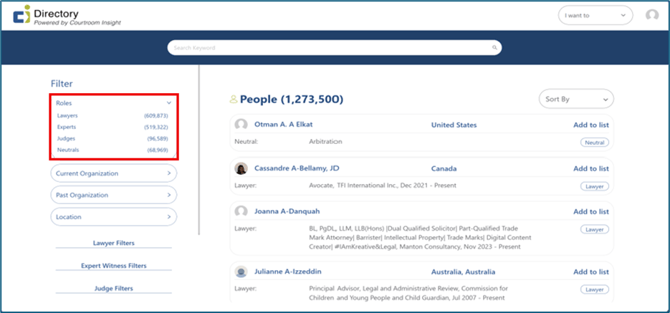
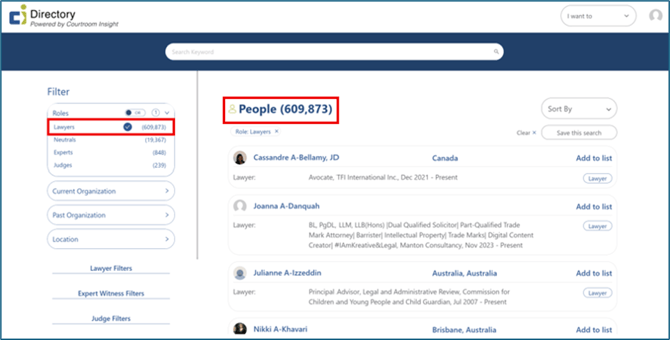
By using this menu, you can search for a specific profession by selecting your desired role. For example, selecting “Lawyers” will show the entire scope of lawyers and only lawyers in the CI People Directory.
CI Roles also appear on a professional’s profile page.
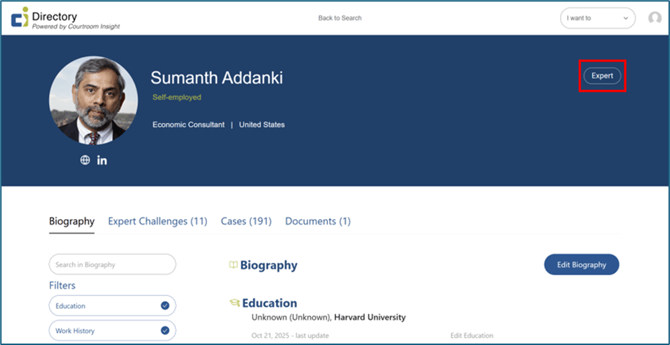
What CI Roles Determine on a Professional's Profile
A professional’s CI Role determines two things:
- Which fields/experience types and corresponding data are displayed
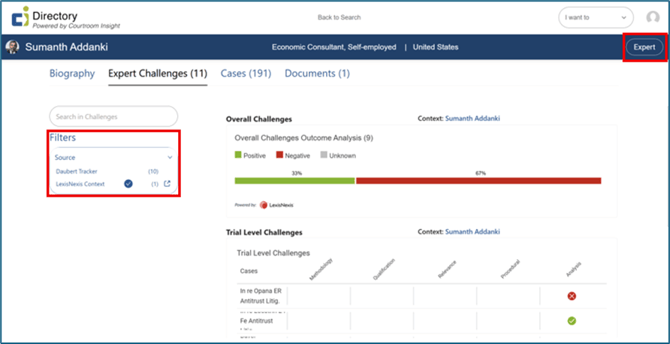
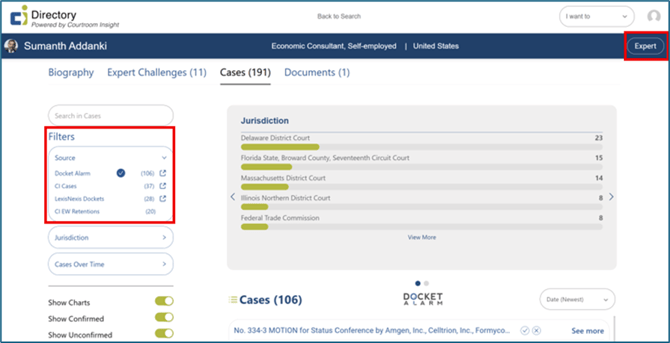
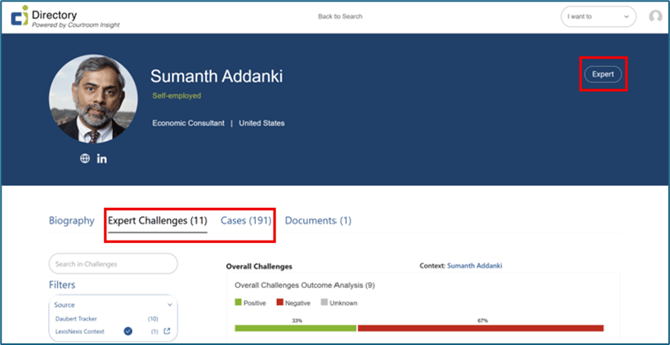
- For example, on this expert’s profile, Expert Challenge in addition to Case data are shown.
- What external data integrations populate on profiles (link to integrations article)
- For example, on this expert’s profile, LexisNexis Context data is available for Expert Challenges, and Docket Alarm and LexisNexis Docket data is available for Cases.
See our Integration Knowledge Base articles for more information on CI’s partners.
Still Need Help?
If you still have questions or experience issues, our Customer Care team is here to help. Contact us by email (customercare@courtroominsight.com) or phone (415-593-1499 x405) to get connected with a team member within 24 hours.