
Last Updated: 1/27/26
Applies to:
- CI People Directory - Enterprise Clients
- CI People Directory - Marketing Subscribers
- CI People Directory - Research Subscribers
Issue/Functionality Sought:
- What is the difference between Private CI Biographies and CI Biographies in the CI People Directory?
- Which biography types are visible only to your firm, and which are visible across the broader CI People Directory?
- When should you use a Private CI Biography instead of a standard CI Biography?
- How do Private CI Biographies work alongside CI’s curated public biographies?
Solution Overview:
This article explains how CI Biographies and Private CI Biographies differ, how they appear inside the CI People Directory, who can see them, and how they are typically used by firms.
At the end of this guide, you will be able to:
- Identify when a profile is a standard CI Biography vs. a Private CI Biography
- Understand who can view each type of biography
- Know how Private CI Biographies help supplement internal firm research
- Access, edit, and manage each biography type
Tactical Rundown:
What Are Standard CI Biographies?
CI Biographies are the standard, public-facing professional profiles maintained and curated by CI. These serve as the foundation of the CI People Directory. All customers see the same version of a CI Biography. These are:
- Created and updated centrally by CI
- Visible to all CI People Directory subscribers
- Built using publicly available and licensed data
What are Private CI Biographies?
Private CI Biographies are client-created and client-owned profile records that exist only within your organization’s CI environment. These are:
- Visible only to users within your firm
- Used to capture internal notes, experience, evaluations, or additional professionals not included in the public CI Biographies
- Editable directly within your firm’s internal view of the platform
- Able to store confidential information
How the Two Biographies Interact
- If a CI Biography exists for a professional, you are still able to create a Private CI Biography linked to that public record, allowing you to store internal insights without altering the public biography.
- If no CI Biography exists for a person, your Private CI Biography becomes your firm’s only record of that professional.
- Your private profiles never become visible to other CI customers.
Step 1: Accessing a CI Biography
Navigate to your desired professional’s page in the CI People Directory by searching their name from the global search bar or browsing the relevant categories (Attorneys, Experts, Judges, Neutrals).
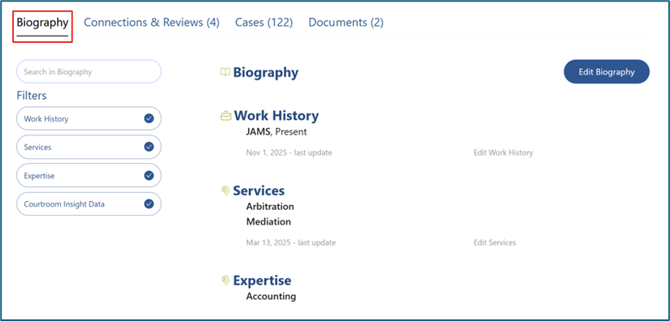
Find the “Biography” tab to view the CI Biography.
Step 2: View or Edit the Private CI Biography
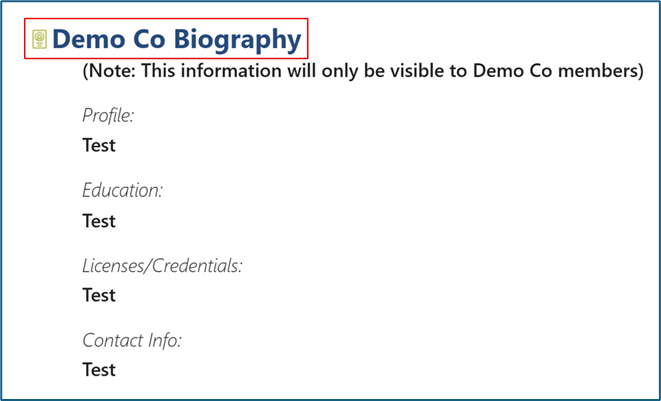
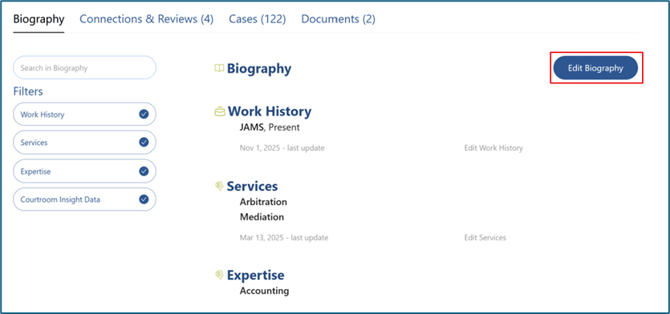
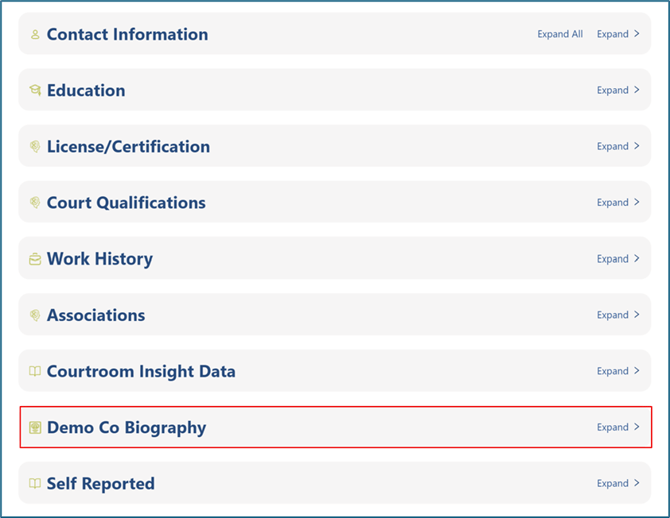
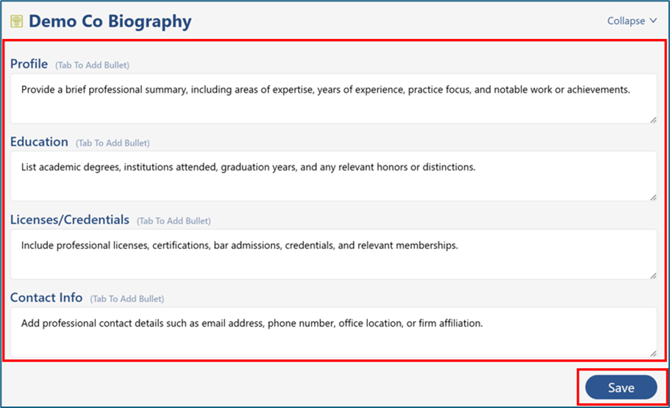
If your firm has created a Private CI Biography for this professional, you will see “(Your Firm Name) Biography”. To edit or add information to the Private CI Biography, click the “Edit Biography” button on the top right and scroll down to “(Your Firm Name) Biography”. Add or edit what is needed.
Step 3: Create a Private CI Biography If Needed
If there is no Private CI Biography created for this person, click the “Edit Biography” button and scroll to find the “(Your Firm Name) Biography” section, add necessary information, and save.
Still Need Help?
If you still have questions or experience issues, our Customer Care team is here to help. Contact us by email (customercare@courtroominsight.com) or phone (415-593-1499 x405) to get connected with a team member within 24 hours.