
Last Updated: 4/28/26
Applies to:
- CI People Directory - Enterprise Subscribers
- CI People Directory - Marketing Subscribers
- CI People Directory - Research Subscribers
Issue/Functionality Sought:
- How do I view a list of profiles I’ve edited in CI?
- Where can I view my past profile edits in the CI People Directory?
- How do I quickly return to profiles I’ve previously edited?
- Does CI automatically save and organize profiles I’ve edited?
Solution Overview:
CI automatically tracks all profiles a user edits and organizes them into a centralized list for easy access. This allows users to quickly revisit, review, or continue working on profiles without needing to search for them again.
To complete this task:
- Access the CI Directory
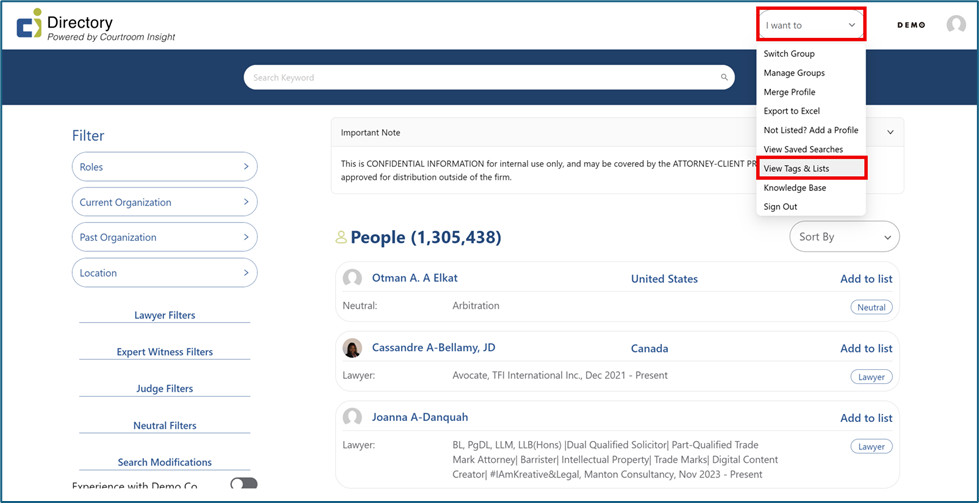
- Open the “I want to” menu
- Select “View Tags & Lists”
- Locate “Automated Lists”
Tactical Rundown:
Step 1: Open the “I want to” Menu, Select “View Tags & Lists”
From anywhere within the CI People Directory, locate and select the “I want to” dropdown menu in the top right corner. Within the dropdown, select the 7th option from the top, “View Tags & Lists”.
Step 2: Locate “My Profile Edits” List Under “Automated Lists”
Under “Automated Lists” is “My Profile Edits”, which is a list that contains the profiles a user has edited.
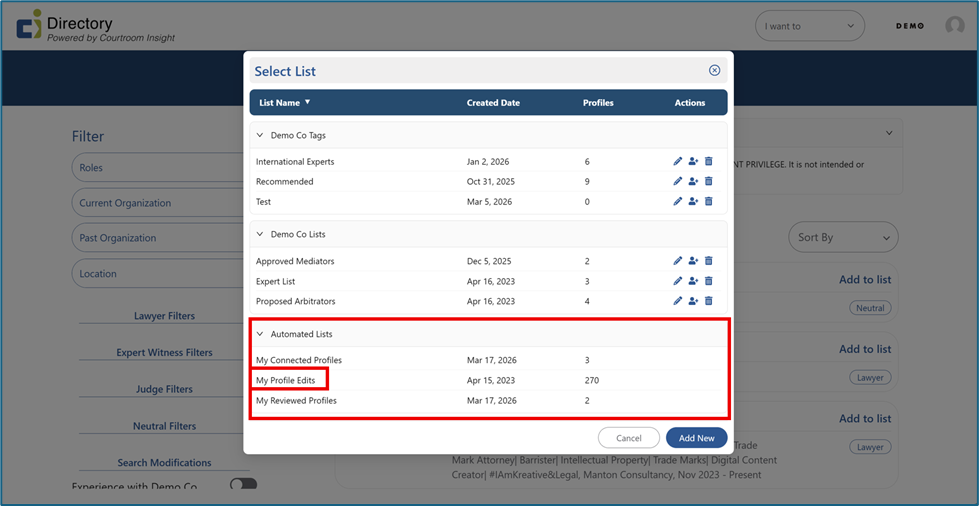
- This list is automatically generated and maintained by CI
- It includes every profile a user has edited
- Profiles are continuously added as a user makes new edits
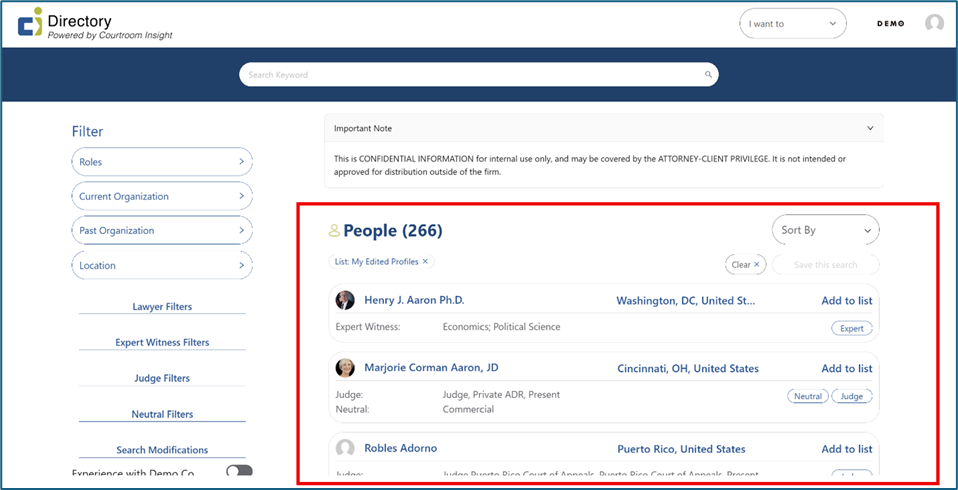
Step 3: Automatic Updates Going Forward
Any time a user edits a profile in the future:
- The profile is automatically added to this list
- No manual tracking or saving is required
- List stays up to date in real time
Still Need Help?
If you still have questions or experience issues, our Customer Care team is here to help. Contact us by email (customercare@courtroominsight.com) or phone (415-593-1499 x405) to get connected with a team member within 24 hours.