
Last Updated: 4/28/26
Partner Name
CourtListener
Applies To
- CI People Directory - Enterprise Subscribers
- CI People Directory - Research Subscribers
Overview
CourtListener is a public legal research program operated by the Free Law Project that provides access to judicial opinions, dockets, case data, and financial disclosures from U.S. Federal and State courts. CourtListener’s data is built on top of PACER, which provides public access to federal court documents.
CI integrates CourtListener data into the CI People Directory to enrich profiles for lawyers, experts, judges, and neutrals with court decisions and disclosures. This integration allows CI Individual Research and Enterprise subscribers to quickly access litigation experience, judicial decision-making, and professional background using primary-source court data.
How CI Obtains the Data
CI licenses CourtListener data on behalf of its clients and ingests it through structured data feeds and APIs provided by the Free Law Project.
Sourcing and processing details:
- Data source: CI sources CourtListener APIs and datasets, built on PACER-sourced public court records
- Processing: CI normalizes and maps CourtListener data to CI entities (arbitrators, lawyers, experts, judges, and mediators), resolving name variations and associating court records with appropriate profiles
Requirements to Access Content Within CI
CourtListener data is licensed by CI and can be enabled for any client at no additional cost.
- No separate CourtListener or PACER credentials are required for CI Individual Research and Enterprise subscribers
- No additional licensing fees are required beyond the client’s CI Individual Research or Enterprise subscription
What Content is Included
The CourtListener integration provides select court-derived data that enhances professional and case-related insights in CI.
Included content may consist of:
- Case data: Case names, courts, jurisdictions, docket information, and filing details
- Financial disclosures: Publicly available judicial financial disclosure information
Note: While CourtListener generally provides access to opinions and court documents, CI currently surfaces case data and financial disclosures from the CourtListener integration.
Where Data Appears in CI and How to Access
CourtListener data is surfaced throughout the CI People Directory under a legal professional’s profile in role-specific ways to support research, evaluation, and preparation. This section will explain how to access CourtListener data generally, highlight which information is unique to each professional type, and highlight where to access role-specific information.
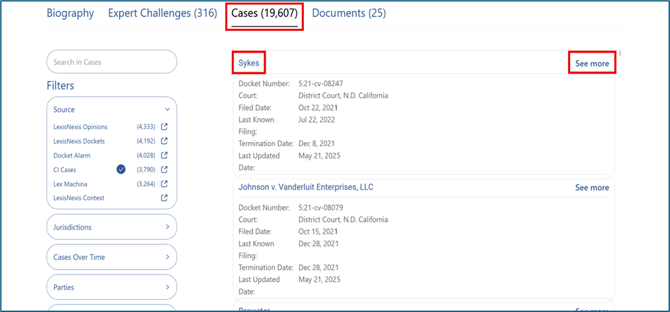
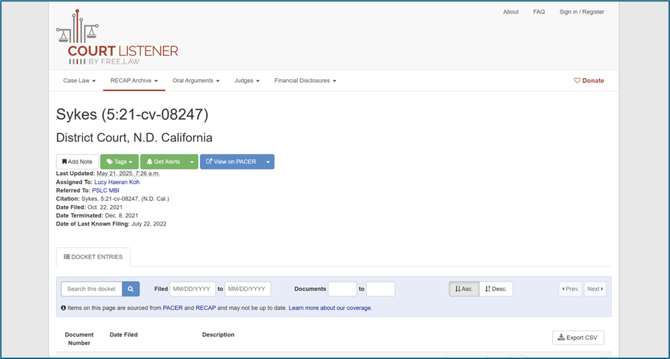
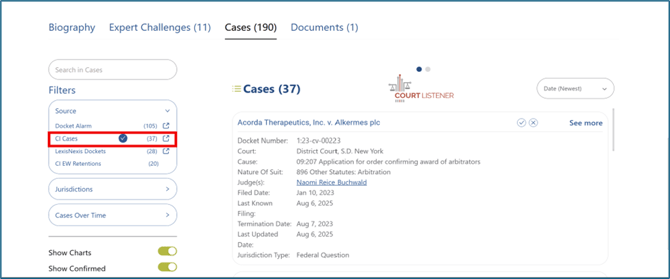
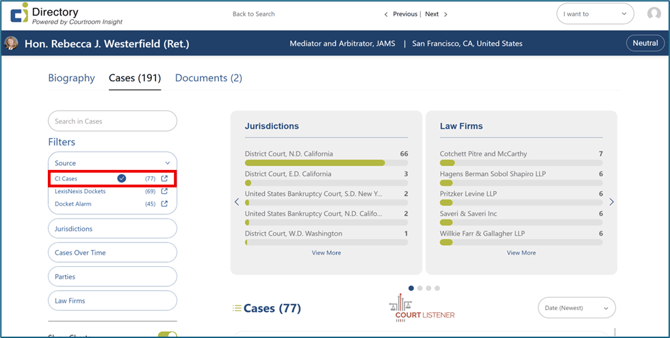
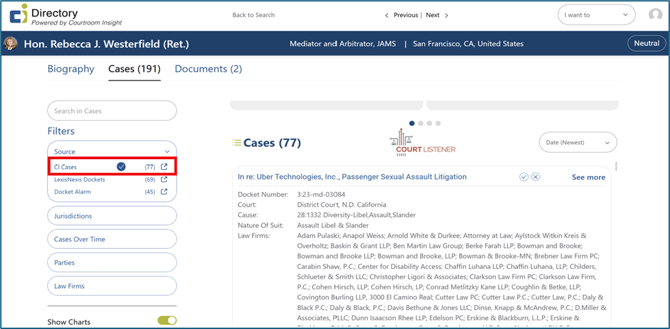
To access case information on any legal professional’s profile, select the “Cases” tab on a professional’s profile. To access additional information about a case, select the case title hyperlink or select “See more” to be redirected to the case on CourtListener’s website.
Lawyer Profiles
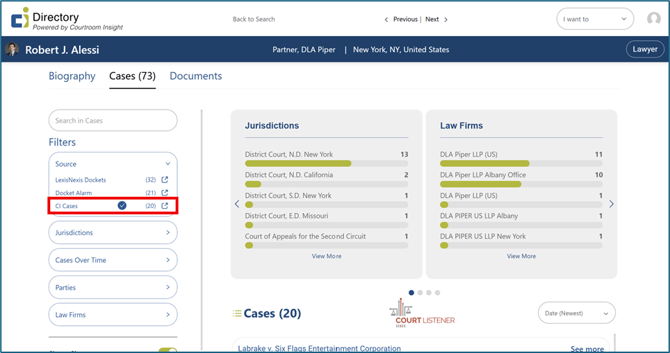
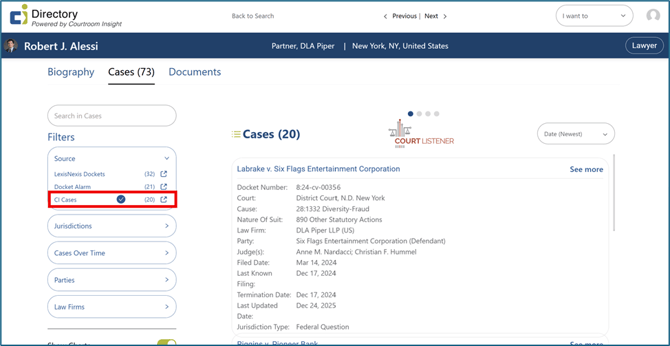
On a Lawyer’s profile, CourtListener data highlights courtroom activity and litigation history. To access CourtListener case data, select “CI Cases” under the lefthand Filters section.
Expert Witness Profiles
On an Expert Witness profile, CourtListener data provides insight into courtroom exposure. To access CourtListener case data, select “CI Cases” under the lefthand Filters section.
Judge Profiles
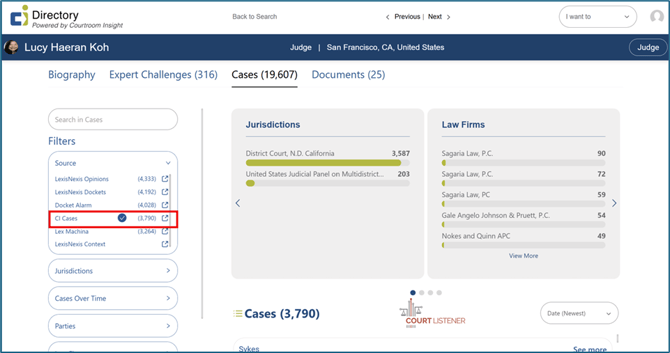
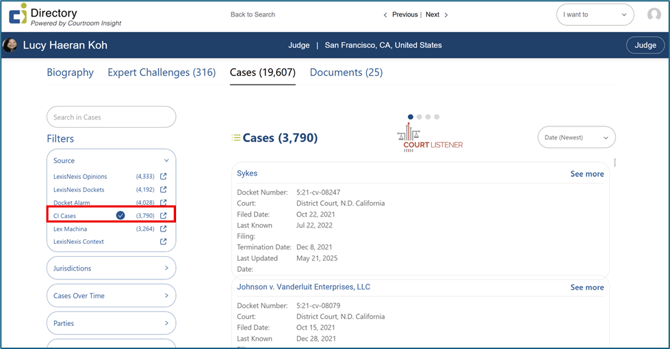
On a Judge’s profile, CourtListener data provides visibility into public case-related and disclosure information. To access CourtListener case data, the lefthand Filters section.
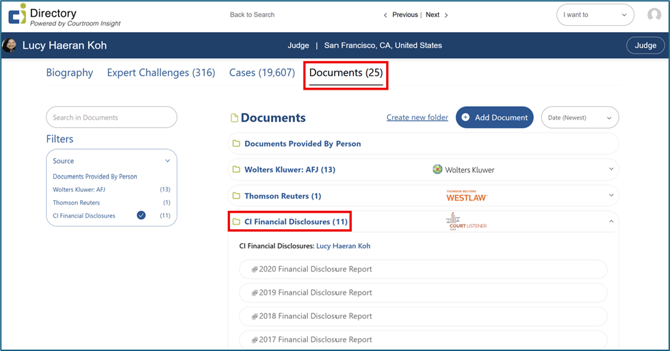
To access financial disclosure information, select the “Documents” tab on the profile page, then select “CI Financial Disclosures”.
Arbitrator and Mediator Profiles
On an alternative dispute resolution professionals’ profile, such as mediators or arbitrators, CourtListener data adds background context derived from court records. To access CourtListener case data, select “CI Cases” under the lefthand Filters section.
Still Need Help?
If you still have questions or experience issues, our Customer Care team is here to help. Contact us by email (customercare@courtroominsight.com) or phone (415-593-1499 x405) to get connected with a team member within 24 hours.